Say it once.
Find it years later.
Voice notes that transcribe in your browser. Your audio never leaves your device — and the transcript becomes a searchable memory of the people, projects and promises in your life.
Free while we’re building. No card, no waitlist.
Record in the browser
Press the button and talk. No install, no extension, no desktop app.
Whisper runs on your machine
The speech model is downloaded once and runs in a Web Worker on your own hardware.
Search understands “last March”
Ask in the way you would ask a person. Dates, names and half-remembered phrases all work.
How it works
Hold the button. The model runs where you are.
Don’t take our word for it — record something below. Whisper downloads to your browser once and runs in a Web Worker on your own machine, and the recording is turned into text without ever being uploaded. Watch the network tab while it happens.
Press record and say something — up to 15 seconds.
Records up to 15 seconds. The first run downloads the speech model (~77 MB) — nothing is fetched until you press record.
There is a server transcription path, and it is deliberately hard to reach: it exists only for when the in-browser model fails, it requires an explicit press on a button that says so, and the request will not even typecheck without a consent flag. Nothing falls back to it automatically.
The actual thing
This is the app, not an impression of it.
Real screens from the running application. The notes in them are made up — nobody’s actual recordings are on this page — but everything around them is exactly what you get.
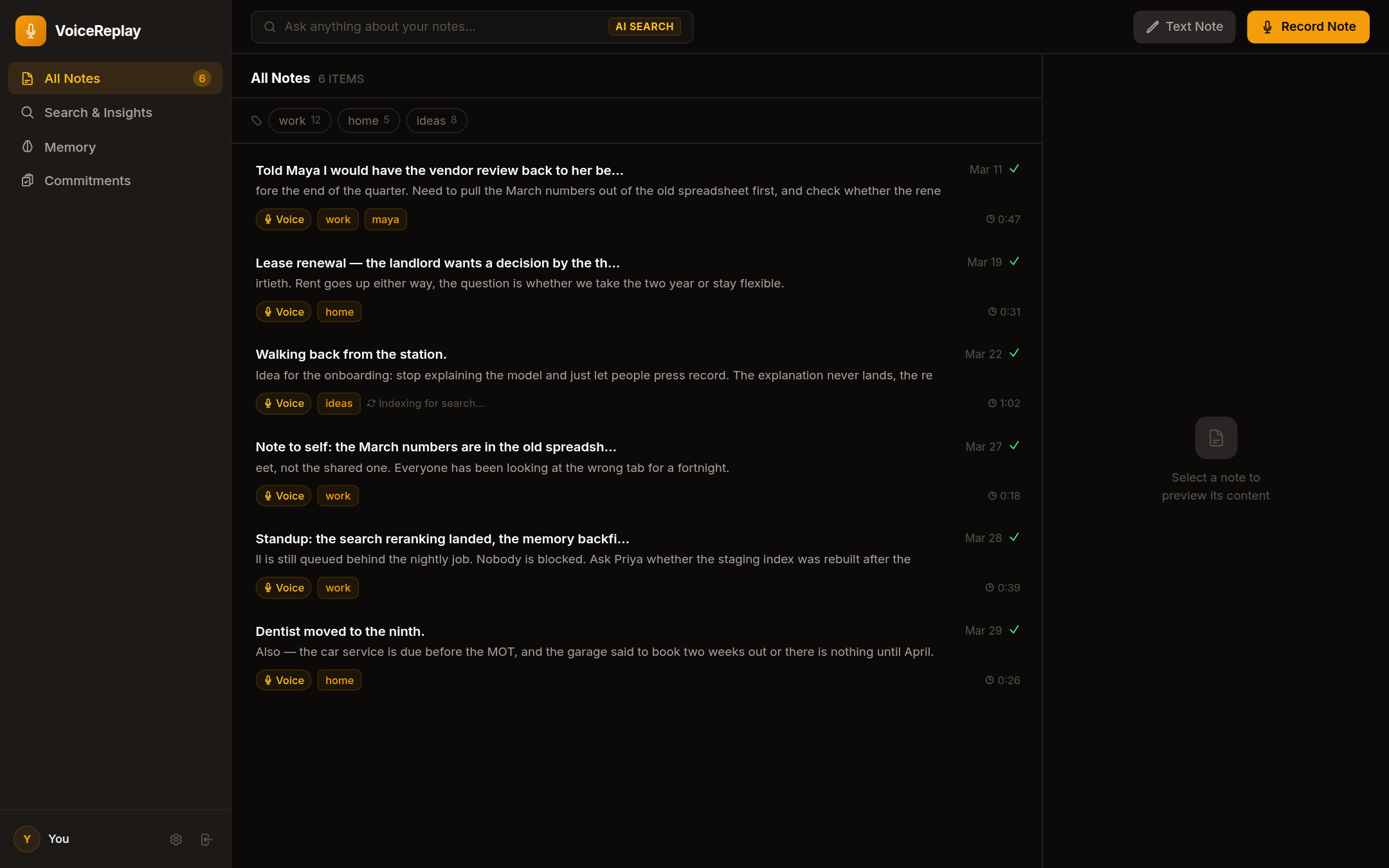
Everything you have recorded, newest first, with the tags the system proposed and you kept. A note still being indexed says so rather than pretending to be searchable.
What it does
The whole of it, one piece at a time.
Eight answers, including the least comfortable ones — what the pipeline sends to a server, and what this deliberately does not do.
Eight steps, and we number the awkward ones too.
Here is everything that happens between pressing record and the note being searchable, and where each step runs. Two of these send your words to a server for every account. They are steps six and seven.
- 01Your device
You press record
The browser captures audio through the microphone API. Nothing is listening before this point, and the recording stops when you say so.
- 02Your device
The audio is prepared for the model
Decoded and resampled to 16 kHz mono, the format Whisper expects. This happens in the page, not on a server.
- 03Your device
Whisper turns it into text
The speech model runs in a Web Worker on your own hardware — on WebGPU where the browser offers it, otherwise WebAssembly. The recording itself is never sent anywhere to be read.
- 04Only if you ask
If that fails, the note is saved anyway
Without a transcript. The recording is the part that cannot be recreated; text can always be produced later. Sending the audio to a server instead is a separate button that says so, and the request will not even typecheck without a consent flag.
- 05Our servers
The recording is stored so you can hear it elsewhere
Encrypted at rest. This is what lets a note recorded in a browser play back on your phone — a different act from transcription, and the reason "your audio never leaves your device" is stated about transcription specifically.
- 06Our servers
The transcript is indexed so it can be found
The text is turned into a vector by a model running in our Cloudflare account, so that searching for meaning rather than exact words works. This happens for every account.
- 07Our servers
People, projects and promises are pulled out of it
A language model reads the transcript and proposes entities and commitments for the memory layer. This also happens for every account, and it is the second path where your words leave the device.
- 08Off by default
Summaries and tags — only if you switch them on
Off by default, and the only part of this list the AI features toggle actually governs. Worth knowing precisely, because the name suggests it covers more than it does.
Privacy, precisely
The whole ledger, including the awkward half.
Most apps in this category tell you what stays private and go quiet about the rest. Here are both columns. If something in the right-hand one is a dealbreaker for you, we would rather you found out now.
Your audio is never sent anywhere to be transcribed. Your transcript text is: it goes to Cloudflare Workers AI to build the search index and pull out people, projects and commitments — for every account, whether or not AI features are on.
Both columns in full — what stays, and everything that leaves
Stays on your device
Leaves your device
Start with one recording.
Sign in with Google, press record, and see the transcript appear without your audio going anywhere.
Free while we’re building. No card, no waitlist.